 Chrome / Edge
Webpage to PDF
Convert webpages into polished PDFs with full-page, article, and element selection export modes.
AI-powered workspace tools
AI translation for Slides, Docs, and Sheets — plus focused Chrome and Edge extensions for calendar organization, full-page capture, and PDF export. Built for teams that prefer small, dependable tools over heavyweight platforms.
Free tier available · No credit card to start · Used by 123,277+ professionals across global teams
Webpage to PDF
Convert any webpage into a polished PDF.
Browser
 WebSniply
Capture full pages and social posts faster.
Browser
WebSniply
Capture full pages and social posts faster.
Browser
 CalendarBoost
Add colors, tags, and clearer visual planning.
Browser
CalendarBoost
Add colors, tags, and clearer visual planning.
Browser
 Auto Refresh Agent
Refresh pages and monitor changes automatically.
Browser
Auto Refresh Agent
Refresh pages and monitor changes automatically.
Browser
 AI Slides Translator
Translate full presentations with formatting intact.
Workspace
AI Slides Translator
Translate full presentations with formatting intact.
Workspace
 AI Docs Translator
Translate selected text or entire documents.
Workspace
AI Docs Translator
Translate selected text or entire documents.
Workspace
 AI Sheets Translator
Translate cells, ranges, or full sheets accurately.
Workspace
AI Sheets Translator
Translate cells, ranges, or full sheets accurately.
Workspace
 Chrome Web Store
 Microsoft Edge Add-ons
 Google Workspace Marketplace
Product map
Choose a focused tool for the workflow in front of you. The homepage groups every released product by where it fits, so teams can find the right entry point without scanning a long feature list.
Focused utilities for capture, calendar organization, and repeatable browser workflows.
Chrome / Edge
Convert webpages into polished PDFs with full-page, article, and element selection export modes.
Chrome / Edge
Capture full pages and social media posts with annotation, export, and history tools.
Chrome / Edge
Add unlimited custom colors, tags, and visual planning systems to Google Calendar.
Chrome / Edge
Auto refresh live pages, monitor keywords, and trigger alerts when content changes.
Translation products for teams that produce multilingual presentations, documents, and spreadsheets.
Google Slides
Translate full Google Slides presentations or selected slides while preserving layout and visual structure.
Google Docs
Translate selected text or complete Google Docs with one-click language support and formatting preservation.
Google Sheets
Translate cells, ranges, or full sheets while keeping spreadsheet structure ready for business review.
Highlights
Seven focused tools covering the workflows that come up most often — from webpage monitoring and capture to calendar planning and multilingual translation across Slides, Docs, and Sheets.
PDF export
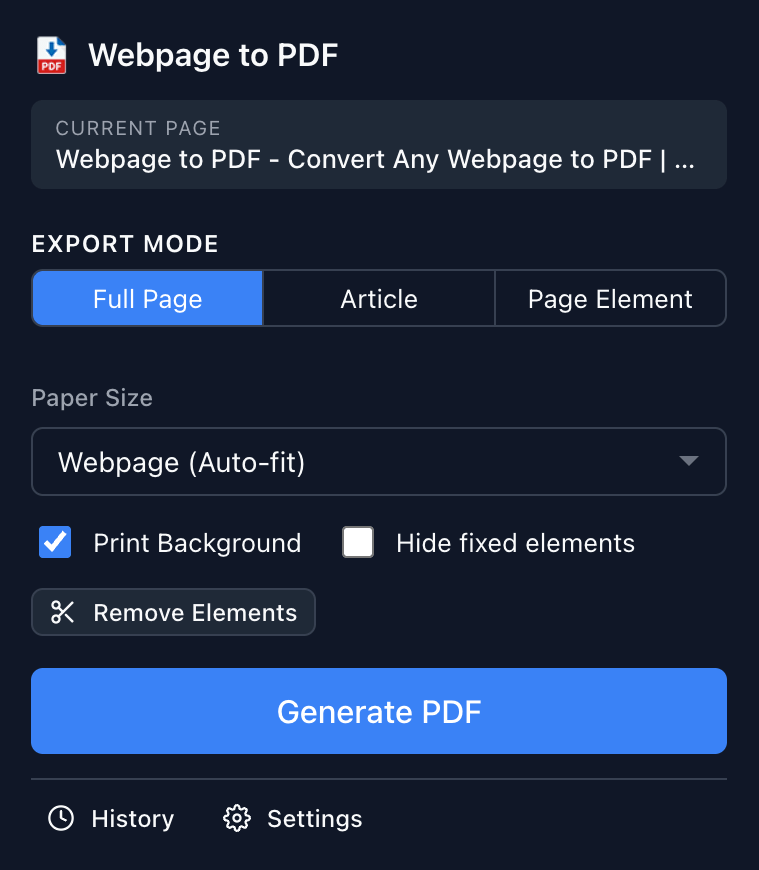
Webpage to PDF converts full pages, article views, or hand-picked elements into clean PDFs — with full control over paper size, margins, and orientation.
Screenshot capture
WebSniply specializes in full-page screenshots and social media post extraction — supporting Facebook, Twitter, and Instagram with built-in annotation and multi-format export.

Calendar productivity
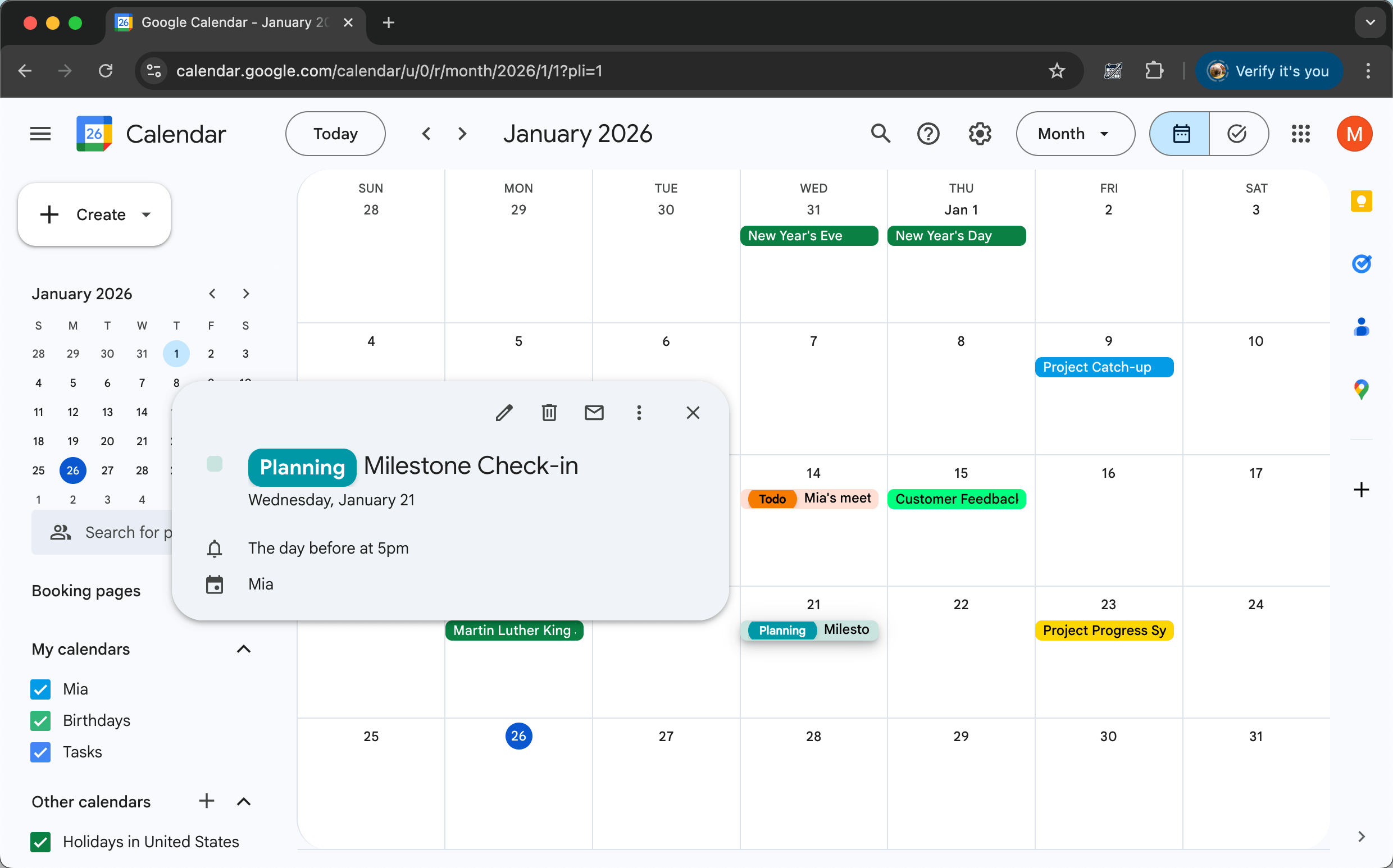
CalendarBoost adds unlimited custom colors, visual tags, and premium themes to Google Calendar — so individual contributors and managers can see priorities without squinting.
Page monitoring
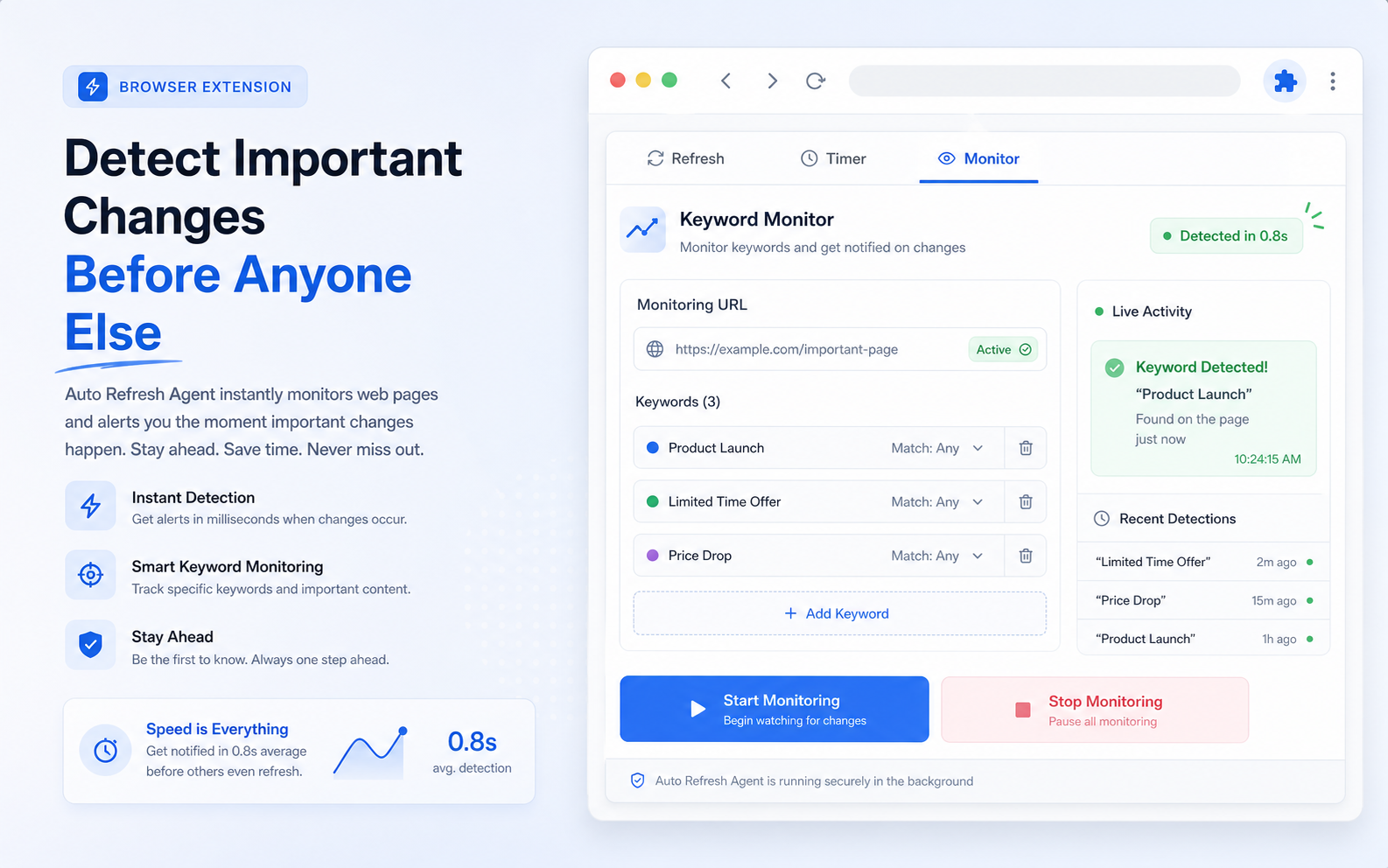
Auto Refresh Agent watches pages on a fixed, random, countdown, or scheduled refresh loop — with keyword, regex, XPath, and alert automation built in.
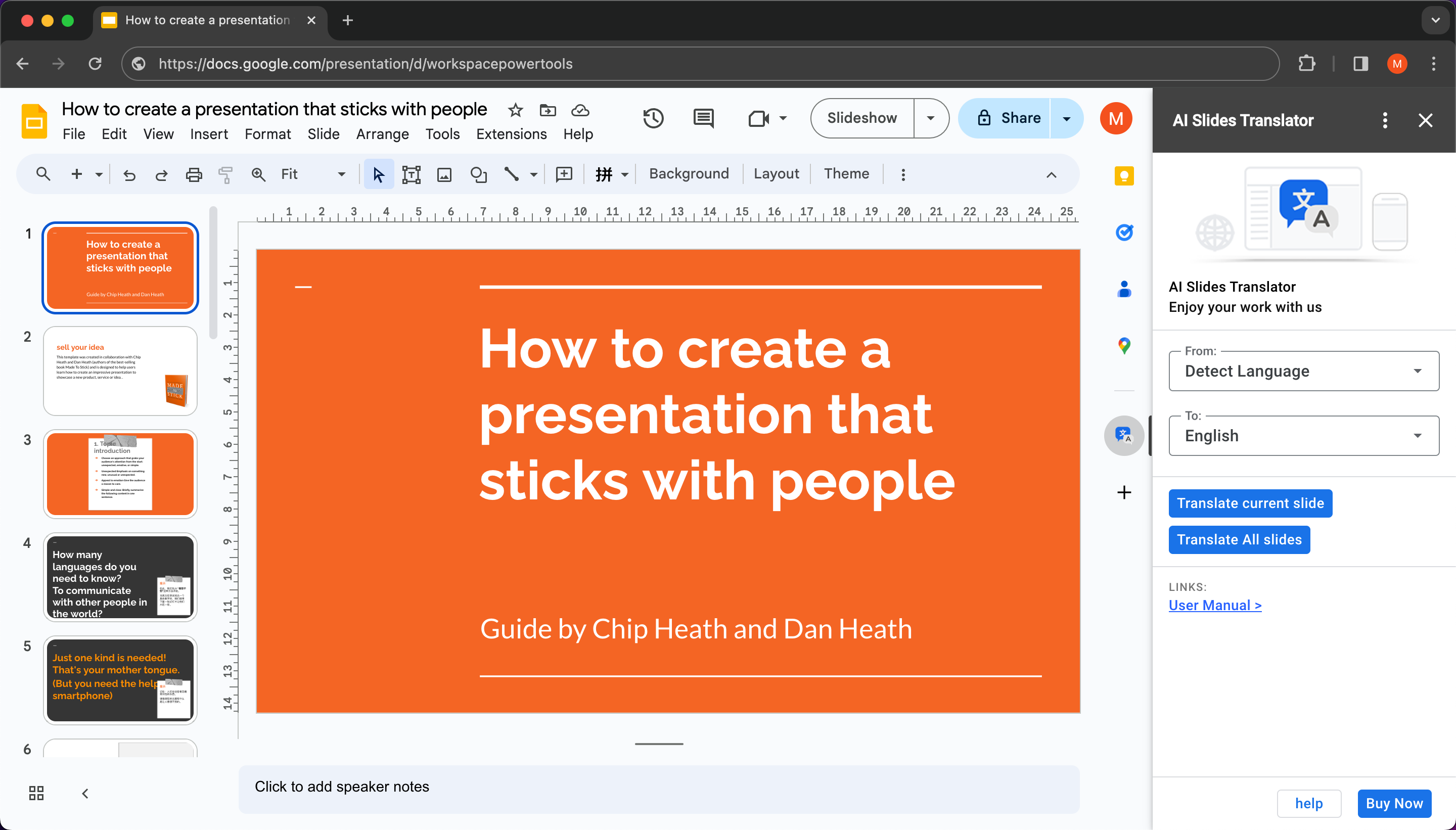
Slides translation
AI Slides Translator preserves every shape, font, and image position while translating decks into 100+ languages — so global sales pitches and training materials stay presentation-ready.
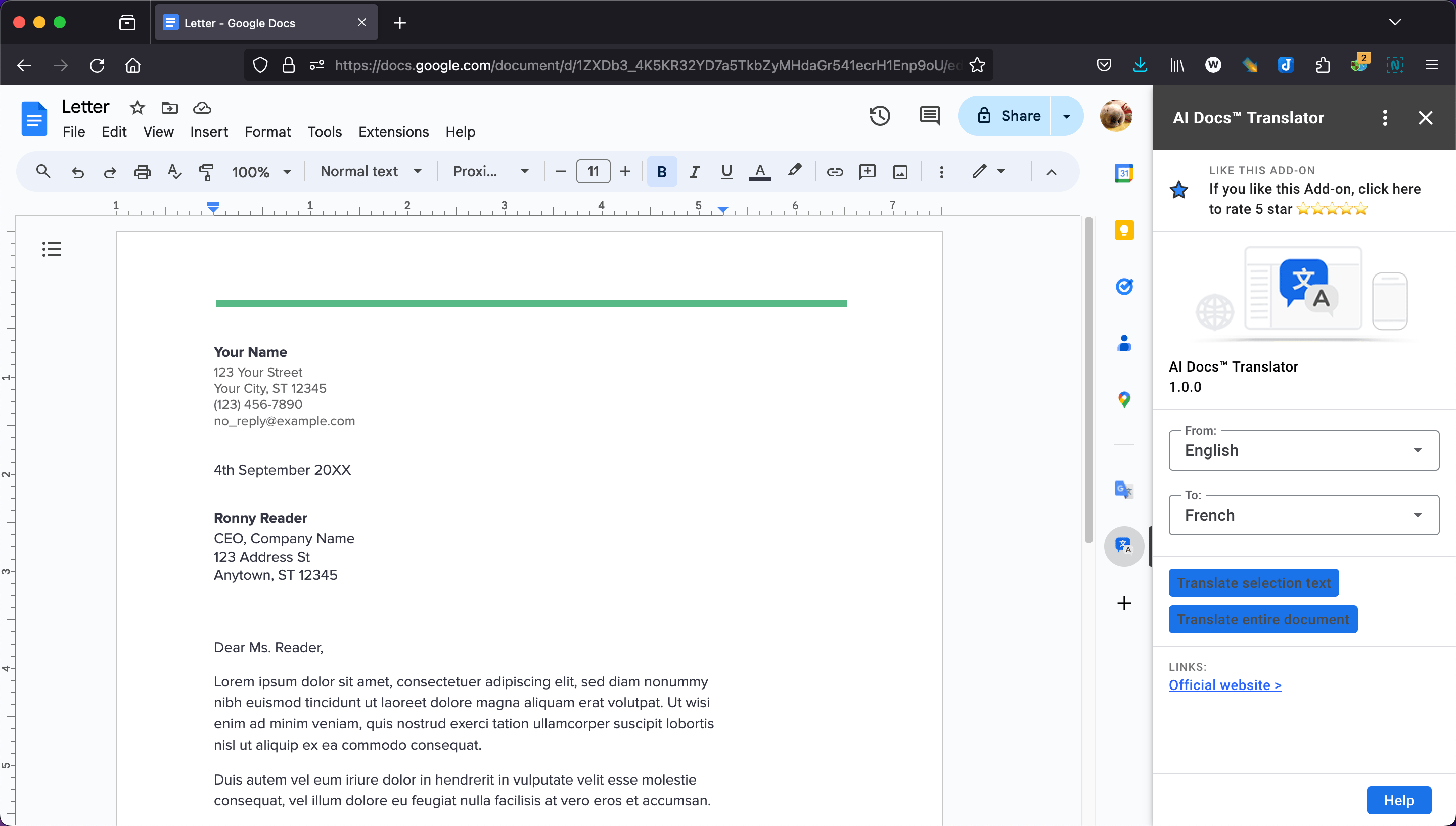
Docs translation
AI Docs Translator handles selected text or entire documents with one click — preserving the original formatting so translated content is immediately ready for review.
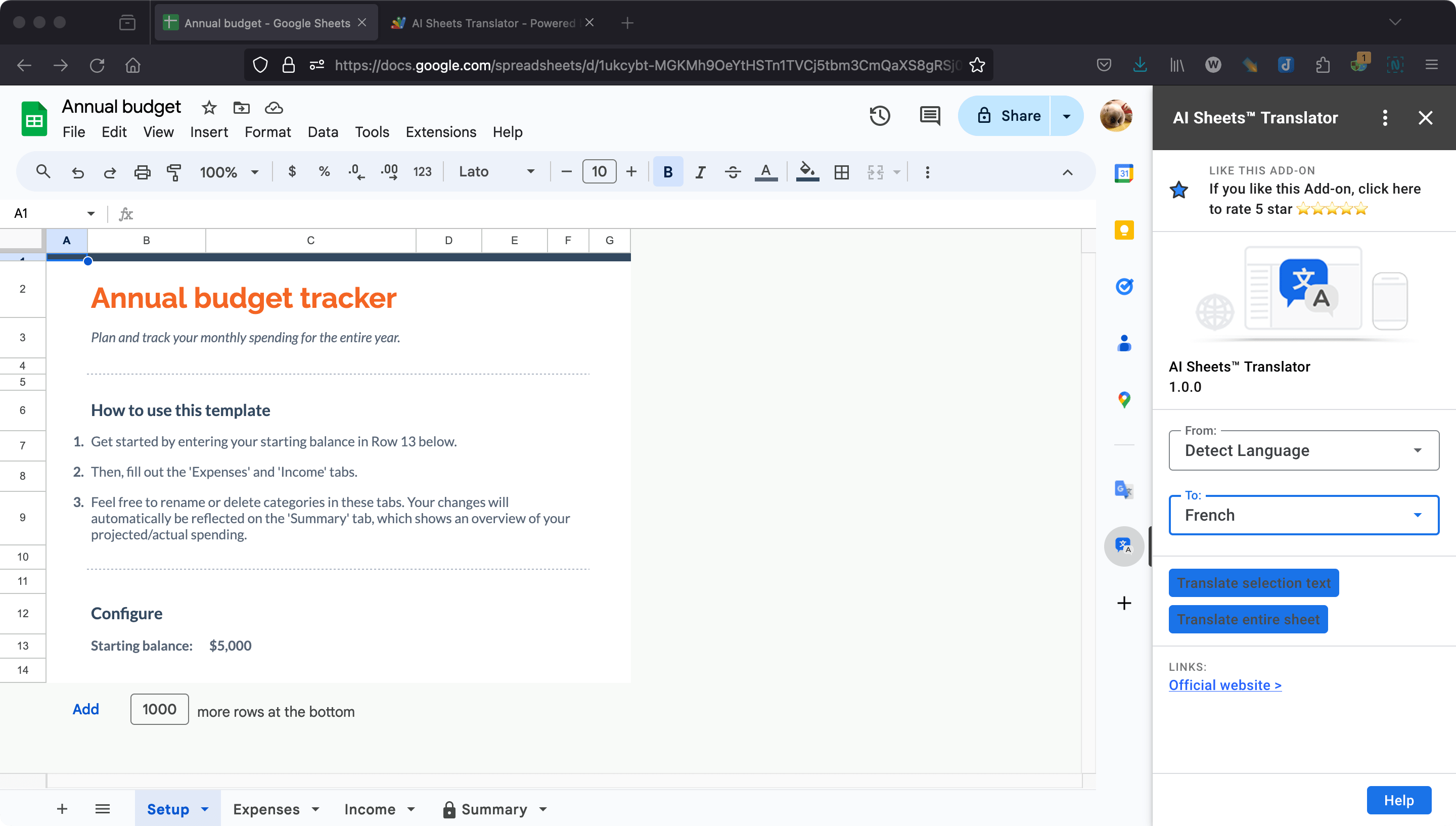
Sheets translation
AI Sheets Translator translates selected cells, ranges, or full sheets — maintaining spreadsheet structure and formatting so data stays ready for business review.
Choose by workflow
Every product has a clear job. Use this map when you know the workflow you want to improve but do not yet know which product page to open.
Prepare multilingual sales decks, training materials, and reports in Google Slides.
AI Slides Translator 02 Translate documentsWork through Google Docs content without manually copying text between tools.
AI Docs Translator 03 Translate spreadsheetsHandle selected cells, ranges, or full sheets while keeping spreadsheet structure usable.
AI Sheets Translator 04 Organize Google CalendarAdd visual tags, custom colors, and clearer planning systems to busy calendars.
CalendarBoost 05 Save webpages as PDFsExport full pages, article views, or selected elements into polished PDF files.
Webpage to PDF 06 Capture pages and social postsCreate full-page and social media screenshots with annotation and export tools.
WebSniply 07 Monitor live webpagesRefresh pages on intervals or schedules, watch keywords and page areas, and trigger alerts.
Auto Refresh AgentBuilt for your role
Different roles, different workflows. Pick the tool that matches the job you do every day.
Translate pitch decks and proposals into your prospect's language — formatting preserved, ready to present.
AI Slides Translator HR & LearningTranslate training manuals, policy documents, and onboarding guides for multilingual teams.
AI Docs Translator Data & OperationsTranslate spreadsheet data, inventory lists, and reports while keeping cell structure intact.
AI Sheets Translator Managers & Team LeadsColor-code calendars by project, client, or priority to make weekly planning faster.
CalendarBoost Marketing & ContentExport landing pages, articles, and campaign pages into polished PDF reports.
Webpage to PDF Social Media & ResearchCapture full-page screenshots and social media posts for archiving and competitive analysis.
WebSniply Operations & MonitoringKeep live dashboards, booking pages, inventory pages, and status pages fresh while alerts catch meaningful changes.
Auto Refresh AgentEnterprise-ready, lightweight by design
Workspace Power Tools focuses on small, dependable tools that fit into existing business workflows and reduce repeated manual work.
AI translation tools keep presentations, documents, and sheets presentable after translation — no manual cleanup.
Every product is distributed through Google Workspace Marketplace, Chrome Web Store, or Microsoft Edge Add-ons.
Install from your browser or workspace and start immediately — each tool focuses on a single workflow.
AI translation covers 100+ target languages, and the site is available in 10 languages for global teams.
Browser extensions ship for Chrome and Edge, so mixed-browser teams are covered.
Support pages, terms, privacy policy, and refund policy are linked clearly for confident procurement.
Enterprise security
Every product follows the same principles: minimal scopes, no content retention, transparent legal documentation.
FAQ
Short answers for the questions that usually come up before choosing a workspace tool.
AI Slides Translator for presentations, AI Docs Translator for documents, AI Sheets Translator for spreadsheets, CalendarBoost for calendar organization, Webpage to PDF for PDF exports, and WebSniply for screenshots.
Yes. The translation tools preserve the original structure, fonts, and styling of Slides, Docs, and Sheets content — translated work is ready for review without manual cleanup.
No. Your content is processed in real-time and never stored, retained, or used for model training. See our Privacy Policy for full details.
Every product includes a free tier so you can evaluate it with real work before upgrading. No credit card is required to start.
Yes. Workspace add-ons deploy through the Google Admin Console. Chrome and Edge extensions can be pushed via group policy or managed browser settings. Domain licenses cover up to 1,000 users.
The AI translation tools require Google Workspace. The browser extensions — CalendarBoost, Webpage to PDF, and WebSniply — work on any website in Chrome or Edge regardless of your office suite.
Find the right tool
Browse the product suite, install the right tool, and keep the rest of the collection nearby as your workspace needs grow.