1
Custom colors created
Transform your Google Calendar with unlimited custom colors and visual tags. Choose from premium themes, organize with color-coded tag badges, and boost your productivity with beautifully organized schedules.
 Add To Chrome
 Add to Edge
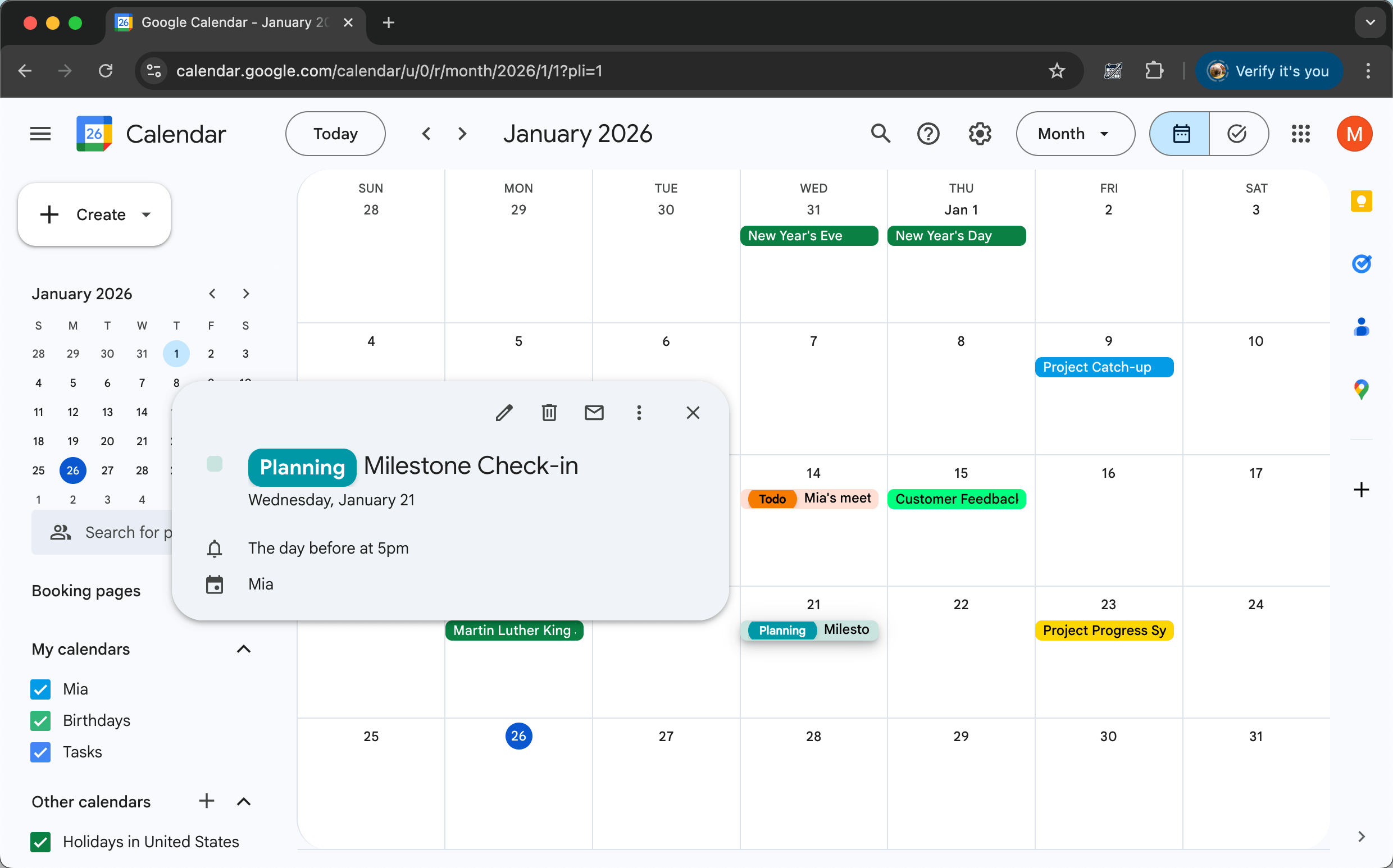
Make your Google Calendar truly yours. CalendarBoost gives you the freedom to add unlimited custom colors, apply premium themes, and organize your schedule with beautiful, personalized colors that match your workflow.

Add as many custom colors as you need with our intuitive color picker. No more limitations - create the perfect palette for your unique calendar needs.

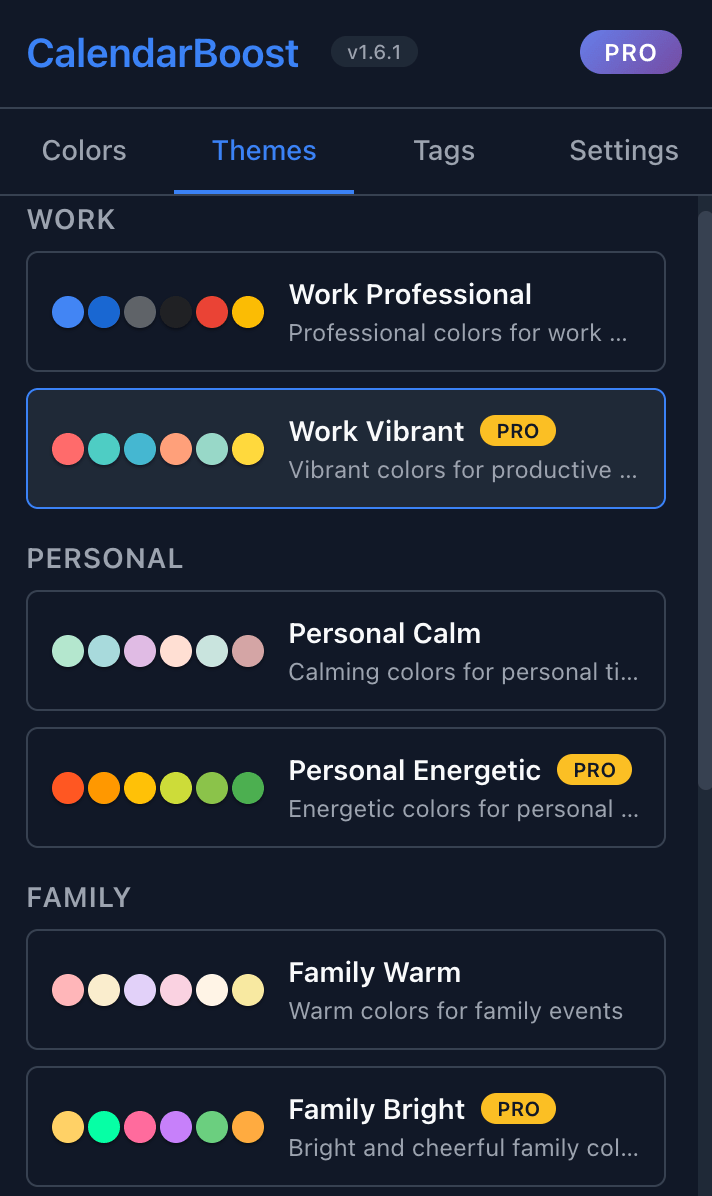
Choose from professionally designed preset themes for work, personal, family, health, and social categories. Apply complete color schemes with one click.

Save time by applying colors to multiple events at once. Batch operations make reorganizing your calendar quick and effortless.
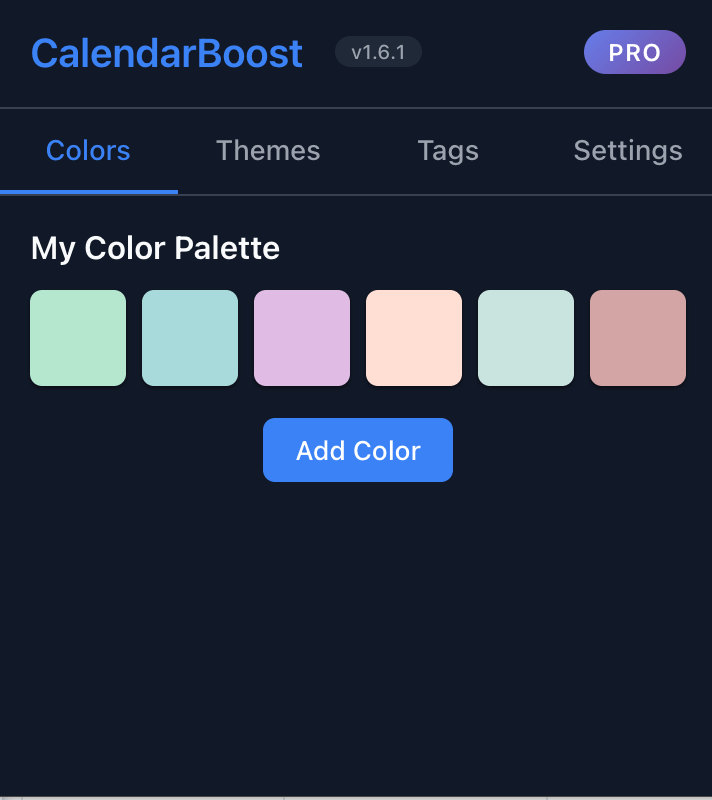
Break free from Google Calendar's default color limitations. With CalendarBoost Pro, add unlimited custom colors to match your projects, clients, or personal categories. Our smart color picker ensures perfect contrast and readability on any theme.
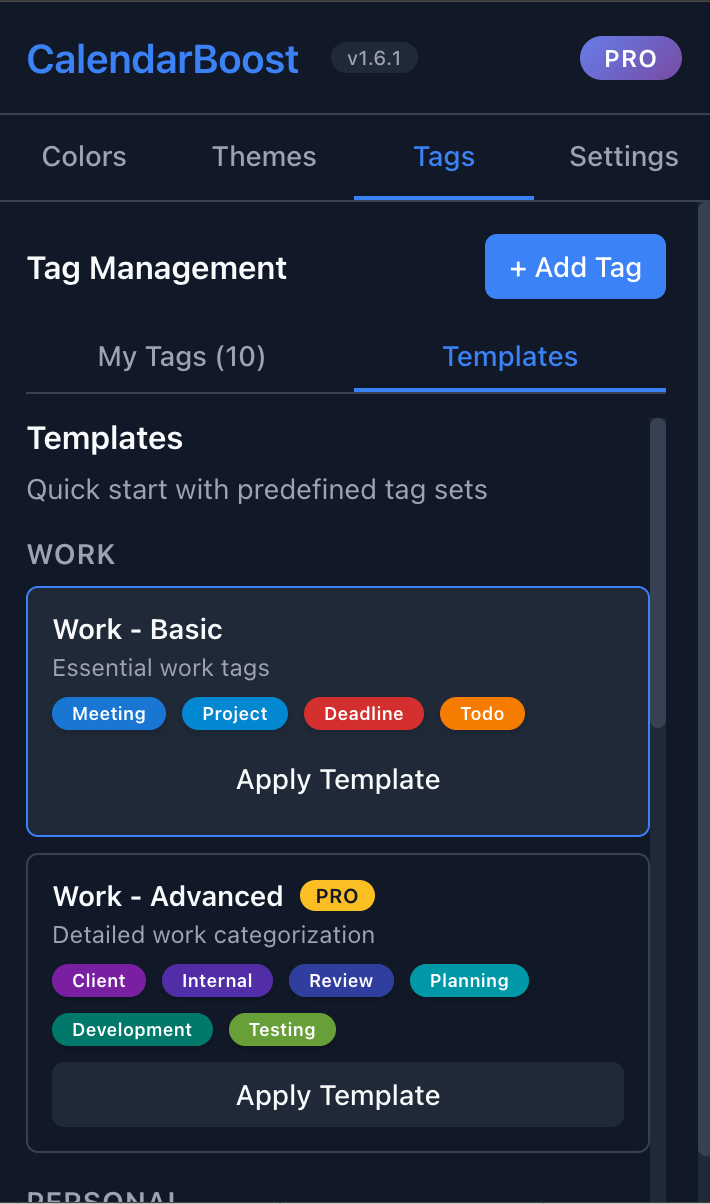
Organize events with colorful tag badges that appear directly on your calendar. Create custom tags like 'Client Meeting', 'Team Sync', or 'Personal', and assign multiple tags to any event using simple syntax like 'Tag1, Tag2: Event Name'. Tags are instantly visible as colored badges, making it easy to filter and identify different event types at a glance.
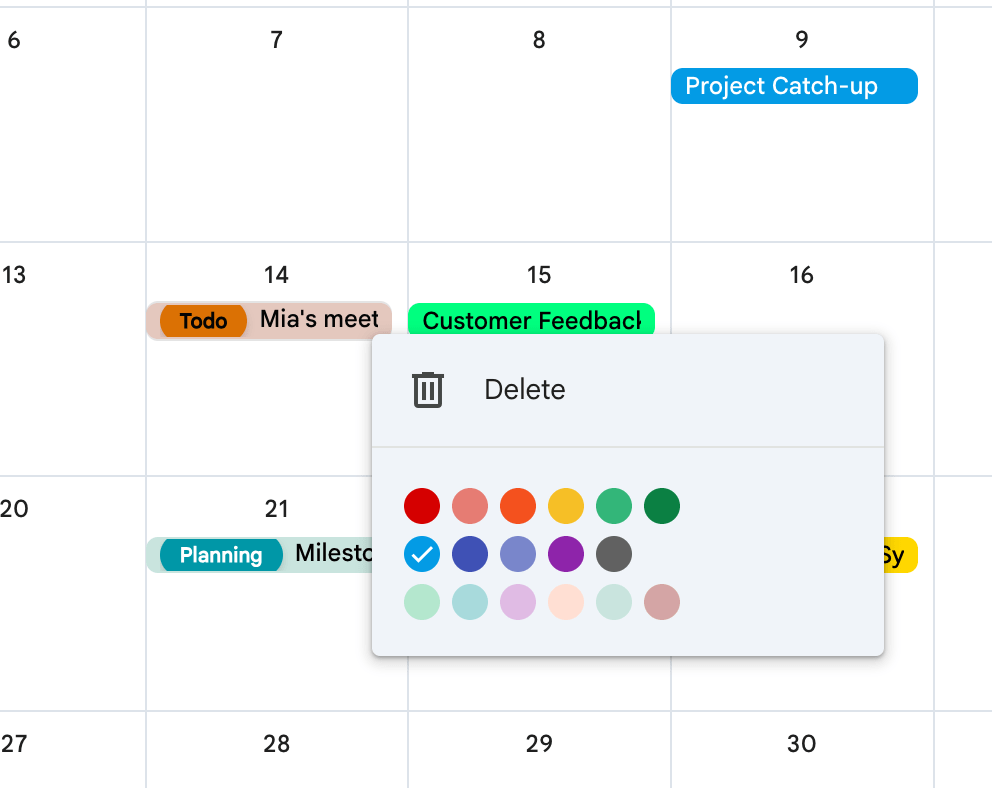
CalendarBoost integrates directly into Google Calendar with zero learning curve. Your custom colors appear instantly in all calendar views, work across devices, and sync automatically. Dark mode fully supported.
Custom colors created
Happy users
Premium themes available

CalendarBoost has completely transformed how I manage my projects! I use the tag system with syntax like 'Client, Urgent: Meeting' to categorize events instantly. Combined with unlimited custom colors - red for client meetings, blue for team syncs - I can see my entire week's priorities at a glance. The color picker is intuitive and makes organizing 10+ projects effortless.

As a consultant working with multiple clients, CalendarBoost's tag badges are invaluable. I tag events like 'ClientA, Billable: Strategy Session' and the colored badges make billing tracking visual and instant. The premium themes help me maintain a professional look, and I can switch between 'work mode' and 'personal mode' themes based on which calendar view I'm sharing with clients.

As a design lead, aesthetics matter! The preset themes are surprisingly well-crafted - the color harmonies and contrast ratios are spot-on. I love how I can apply the 'Creative Work' theme during design sprints and switch to 'Minimal Focus' for deep work sessions. The visual tag badges also add a nice organizational layer without cluttering the interface. It's like having a UX designer built into my calendar!

As an engineer, I appreciate the seamless integration with Google Calendar. The colors sync instantly across all devices, and the text contrast algorithm ensures perfect readability in both light and dark modes. What impressed me most is how CalendarBoost handles real-time updates - when I add a tag to an event on my phone, the colored badge appears immediately on my desktop. The technical implementation is solid!

Before CalendarBoost, I was stuck with Google's limited color palette and my calendar was a mess. Now I use unlimited custom colors for my various business ventures. It's like finally having a calendar that adapts to my entrepreneurial chaos instead of fighting against it!

As a high school teacher with 6 different classes, parent meetings, and extracurriculars, CalendarBoost is a game-changer. I assign each class a unique color - Algebra in green, History in blue - and use tags like 'Grading, Urgent' or 'Meeting, Parent' to prioritize my tasks. Before this, I couldn't tell at a glance which meetings were critical. Now my complex 50+ event weekly schedule is finally visually manageable and actually beautiful to look at!
Start for free – upgrade only if you need unlimited colors.
Ready to transform your Google Calendar? Install CalendarBoost now and start creating your perfect color palette!
Install NowCopyright © Workspace Power Tools